> ## Documentation Index
> Fetch the complete documentation index at: https://docs.usestash.com/llms.txt
> Use this file to discover all available pages before exploring further.
# Confluence
> Link Confluence with Stash to instantly search and retrieve team knowledge, boosting collaboration and productivity.
If your team uses Confluence Data Center, please refer to the Confluence Data Center documentation. For Confluence, follow the instructions below.
Stash connects to **Confluence** so you can surface relevant documentation directly within the context of your issues.
When you connect Confluence, Stash will:
* Associate documentation pages with issues and queries
* Show direct links to the relevant sections of your Confluence spaces
* Eliminate the need to search through large wikis manually
This allows developers to see the documentation they need without switching tools.
## **Add Confluence documents during project setup**
You connect Confluence during the Project Creation Wizard in Stash. At the Wikis step, select Confluence from the dropdown and complete the form to continue the setup:
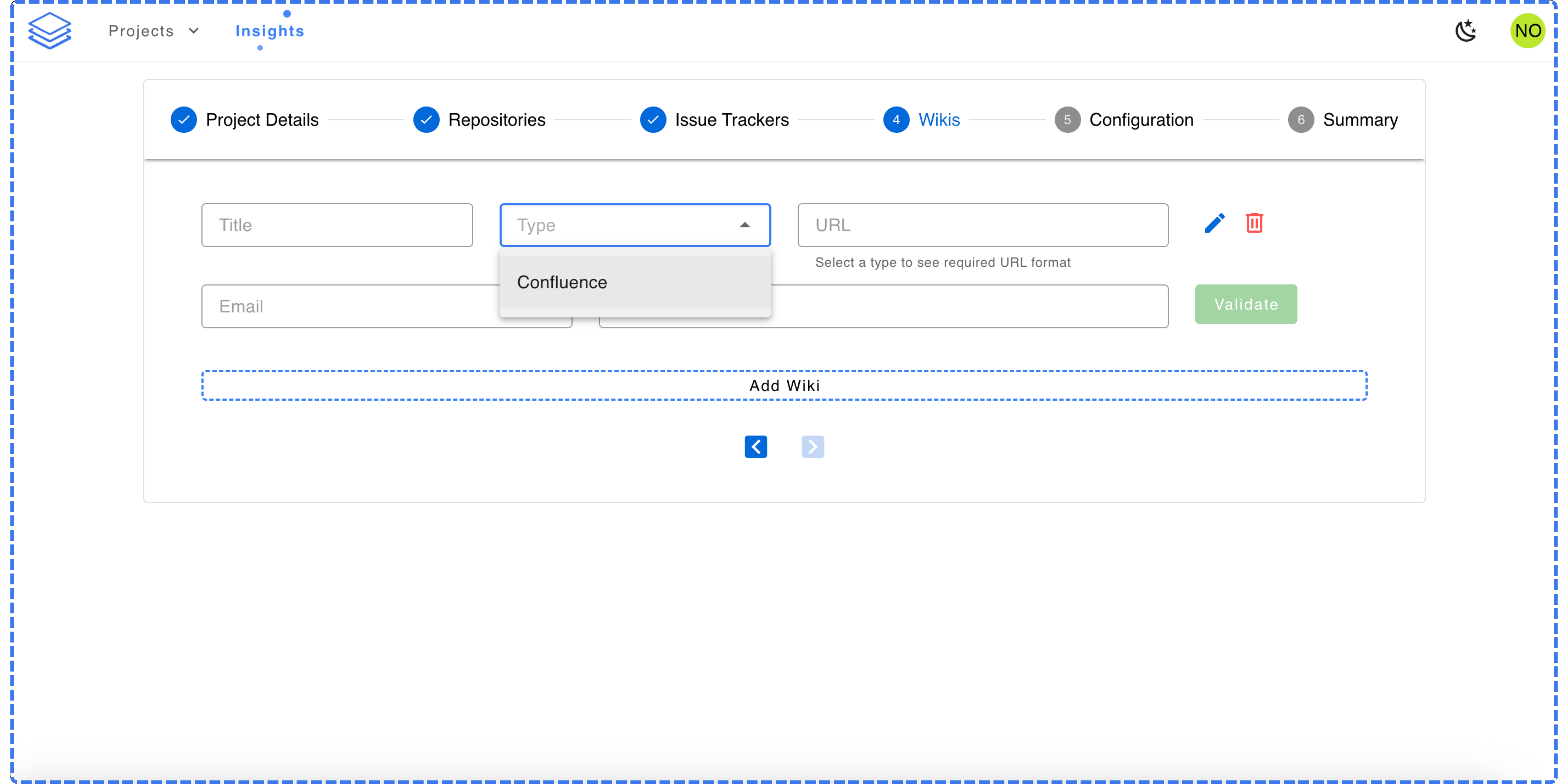 You can connect multiple Confluence spaces under the same project by repeating this step as needed before moving forward in the wizard.
Once the project creation wizard is complete, Stash will begin analyzing connected all data sources automatically.
You can connect multiple Confluence spaces under the same project by repeating this step as needed before moving forward in the wizard.
Once the project creation wizard is complete, Stash will begin analyzing connected all data sources automatically.