> ## Documentation Index
> Fetch the complete documentation index at: https://docs.usestash.com/llms.txt
> Use this file to discover all available pages before exploring further.
# Outlook
> Link Outlook to Stash to quickly find emails, events, and attachments with advanced AI-powered search.
When you connect Microsoft Outlook Calendar to Stash, it gives teams visibility into the real-time availability of teammates who have expertise in specific issues. This makes it easier to know when the right people are free to assist with problem-solving or code reviews.
By connecting Outlook Calendar, Stash will:
* Show which teammates are available to answer questions or collaborate on a specific issue
* Cut down on back-and-forth by making it clear who can be reached, helping you quickly connect with the right developers
## Connect Microsoft Outlook
Each developer must connect their own Microsoft Outlook to their personal Stash account using their own credentials.
You connect Microsoft Outlook under Connected Apps in the Settings menu.
* Go to **Settings → Connected Apps**
* Find **Microsoft Outlook** in the list and click **Connect**
* Complete the authorization flow using your Microsoft Outlook account
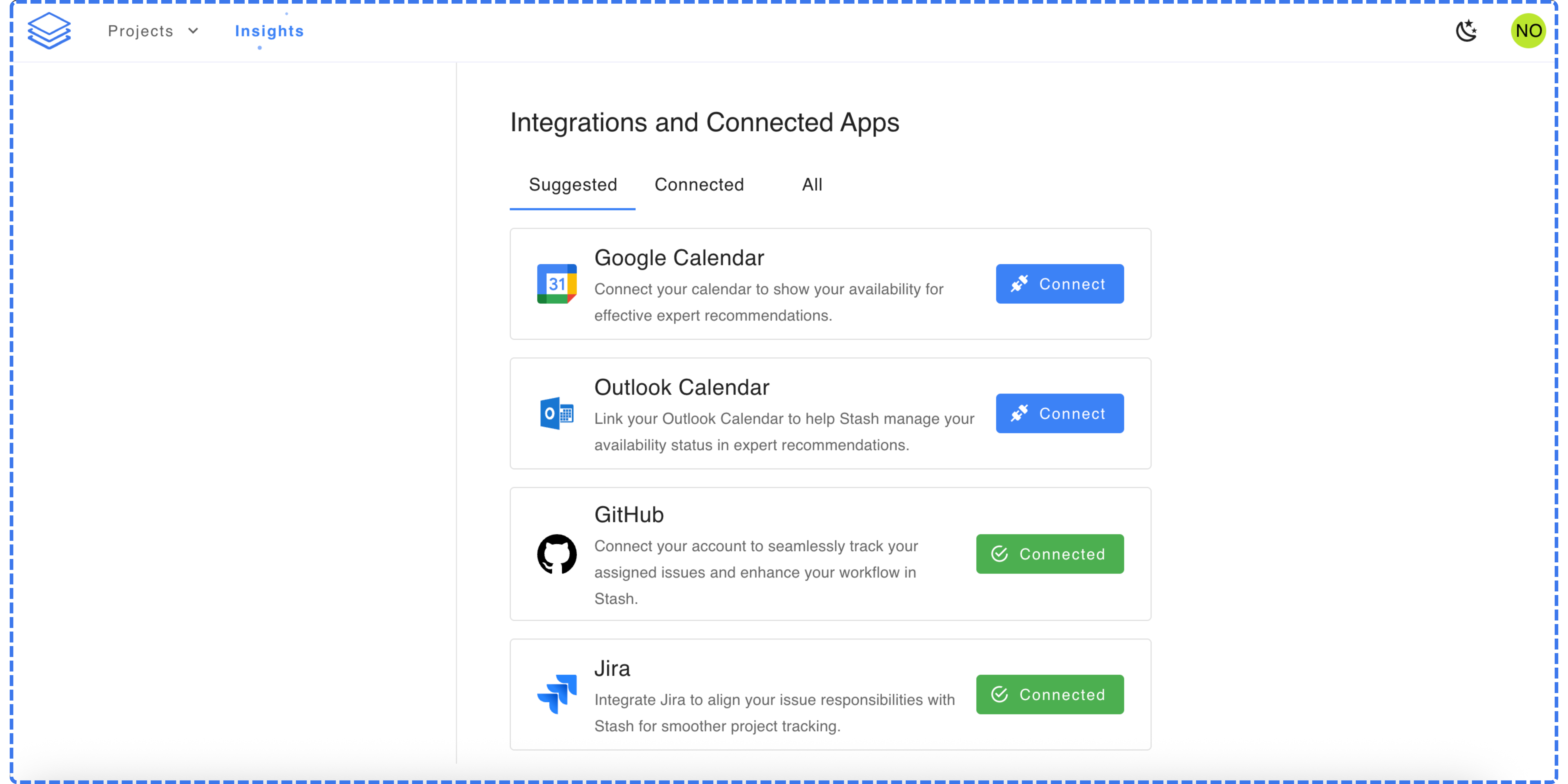 Once connected, Stash will start syncing availability data from your Microsoft Outlook automatically.