> ## Documentation Index
> Fetch the complete documentation index at: https://docs.usestash.com/llms.txt
> Use this file to discover all available pages before exploring further.

# Installation

> Install Stash MCP through the Stash Web Application

<Note>
  **Requirements:**

  * Python 3.10 or higher
  * An active Stash account on a plan that includes MCP features
  * Network access to your Stash instance
</Note>

You can install Stash MCP as a package in your development environment and start using it.

<Steps>
  <Step title="Run this command to install Stash MCP locally">
    ```shellscript theme={null}
    pip install stash-mcp
    ```
  </Step>

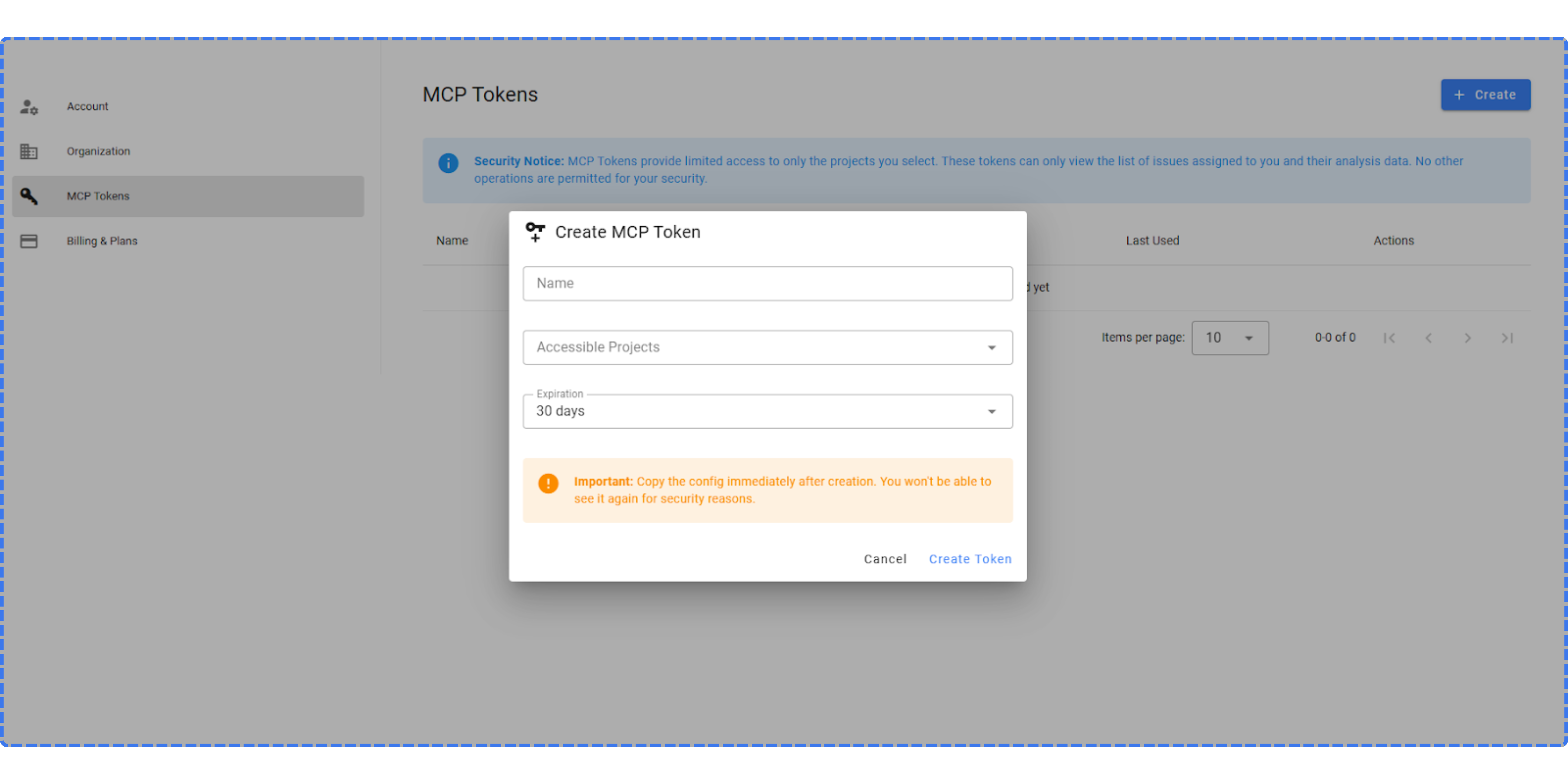
  <Step title="Go to your Stash web app and create an MCP token">
    <img src="https://mintcdn.com/stash/9o_KO0Lz9dj79wjO/images/mcp-1.png?fit=max&auto=format&n=9o_KO0Lz9dj79wjO&q=85&s=4b0f3c29a1fed2480d062081fba600bd" alt="Mcp 1 Pn" width="6750" height="3375" data-path="images/mcp-1.png" />
  </Step>

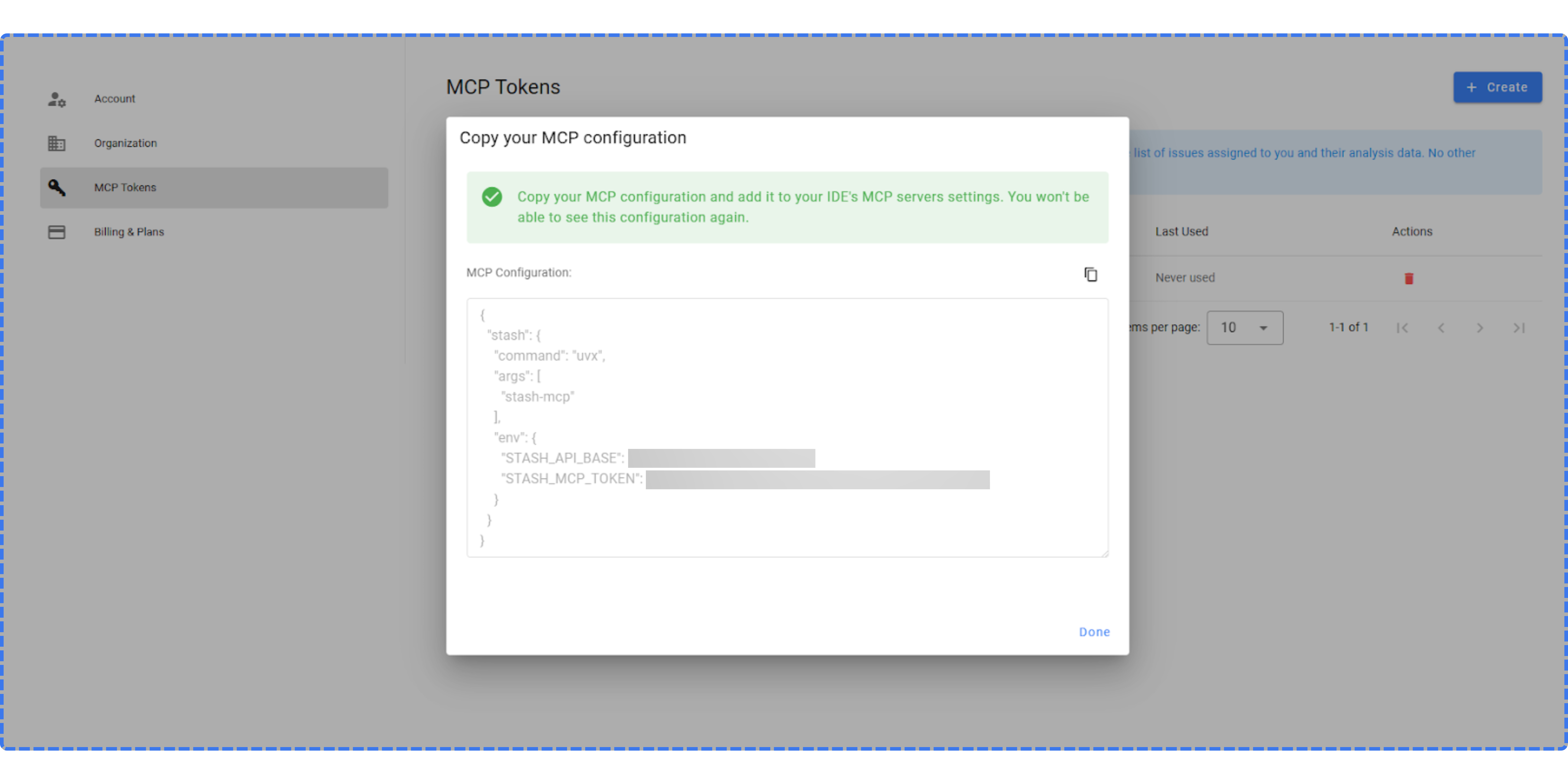
  <Step title="Copy the generated MCP configuration">
    <img src="https://mintcdn.com/stash/9o_KO0Lz9dj79wjO/images/mcp-2.png?fit=max&auto=format&n=9o_KO0Lz9dj79wjO&q=85&s=d1572838220a8d04d2b083171a5619e5" alt="Mcp 2 Pn" width="6750" height="3375" data-path="images/mcp-2.png" />
  </Step>

  <Step title="Paste the MCP configuration into your AI client and start using Stash MCP" />
</Steps>