> ## Documentation Index
> Fetch the complete documentation index at: https://docs.usestash.com/llms.txt
> Use this file to discover all available pages before exploring further.
# Inviting Team Members
> Invite your team to collaborate in Stash with secure, time‑limited links.
Adding new team members to Stash is simple using invitation links. These links allow others to join your company’s Stash workspace directly.
## How to invite team members
You need to have an admin account to create an invitation link in Stash. Developer user accounts do not have access to this function.
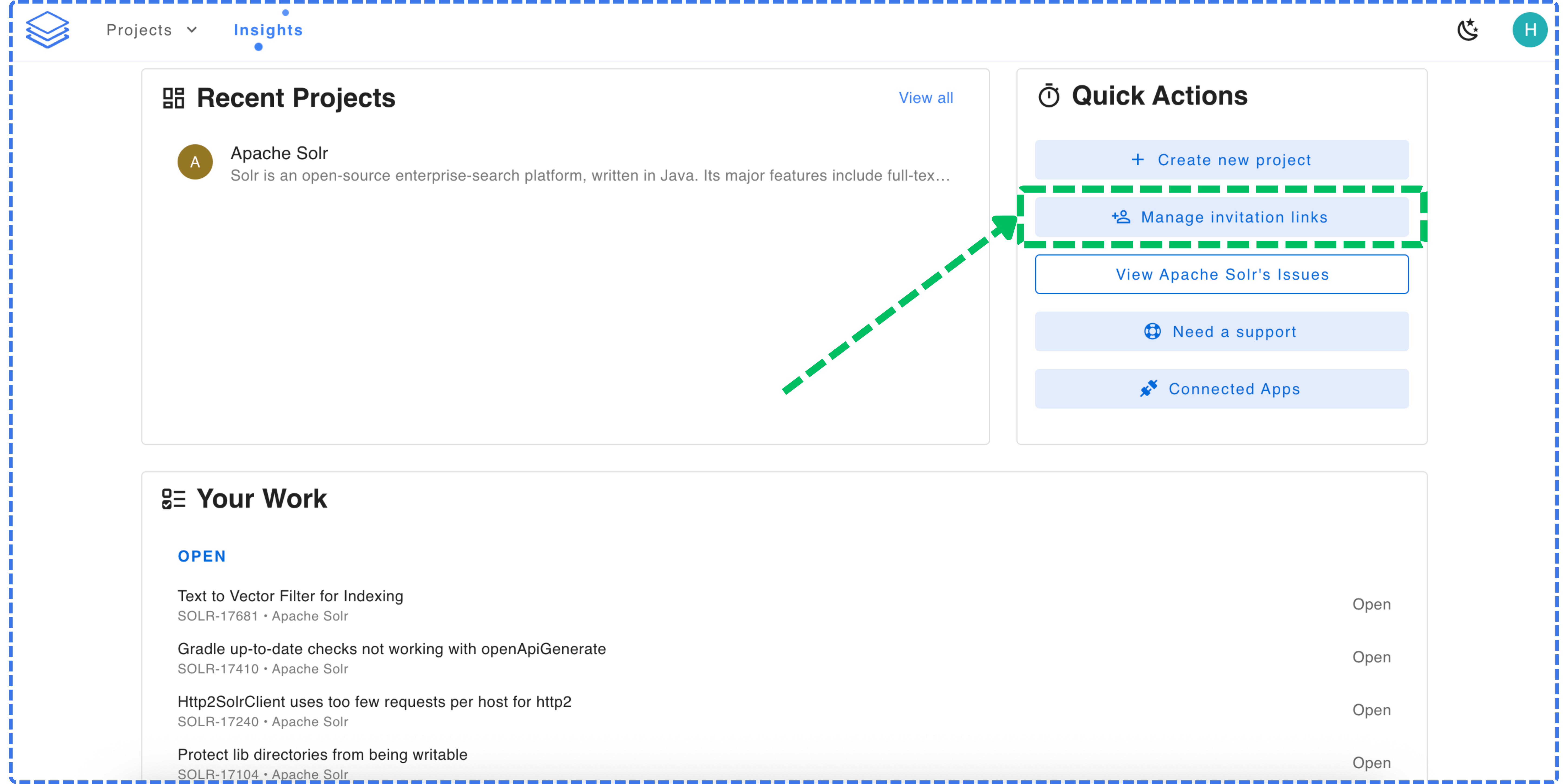
From the Stash **Home Screen**, click **Manage invitation links** in the **Quick Actions** panel.
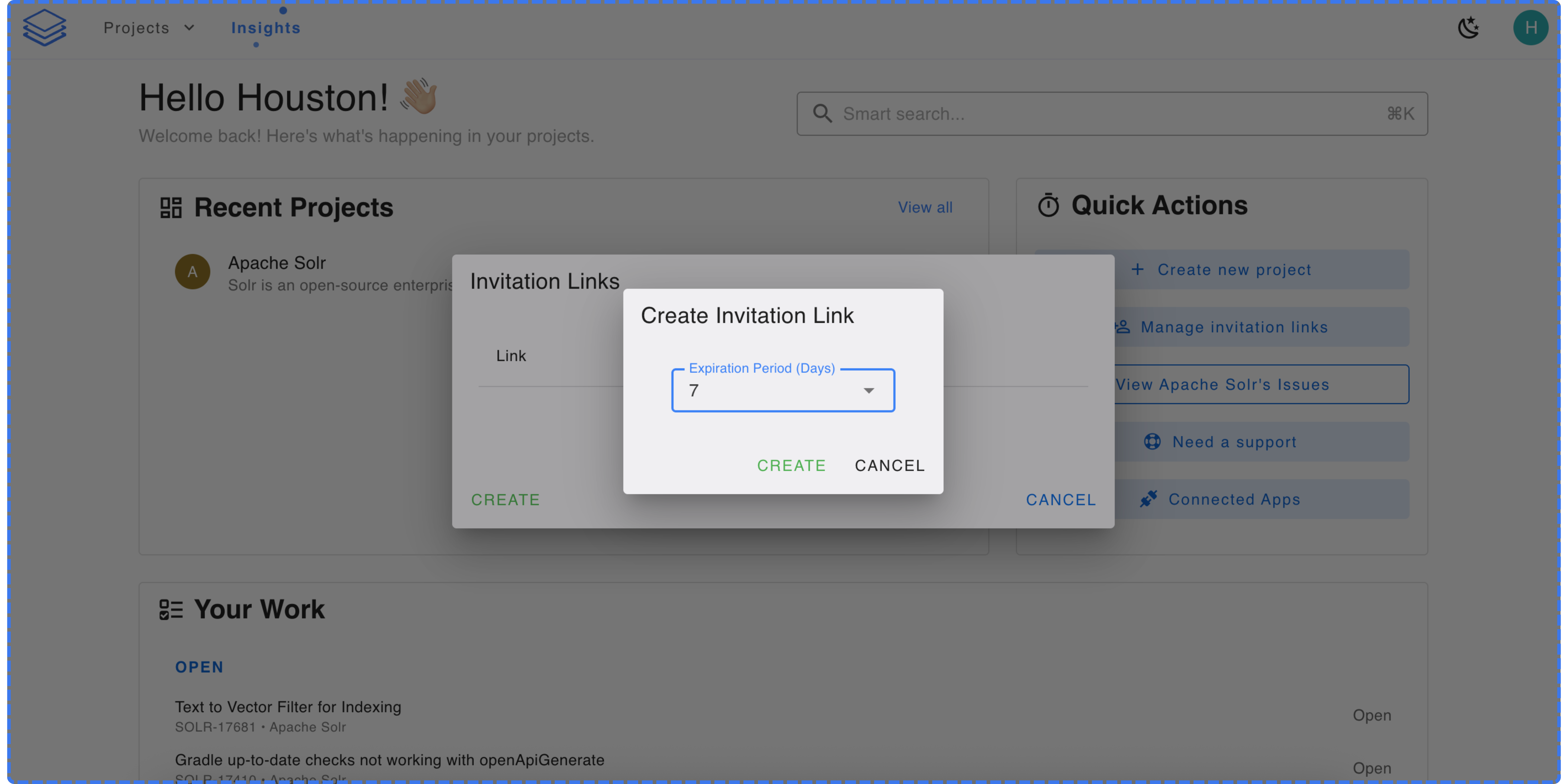
 In the **Invitation Links** window, choose an **Expiration Period (Days)** for the link and click **Create**.
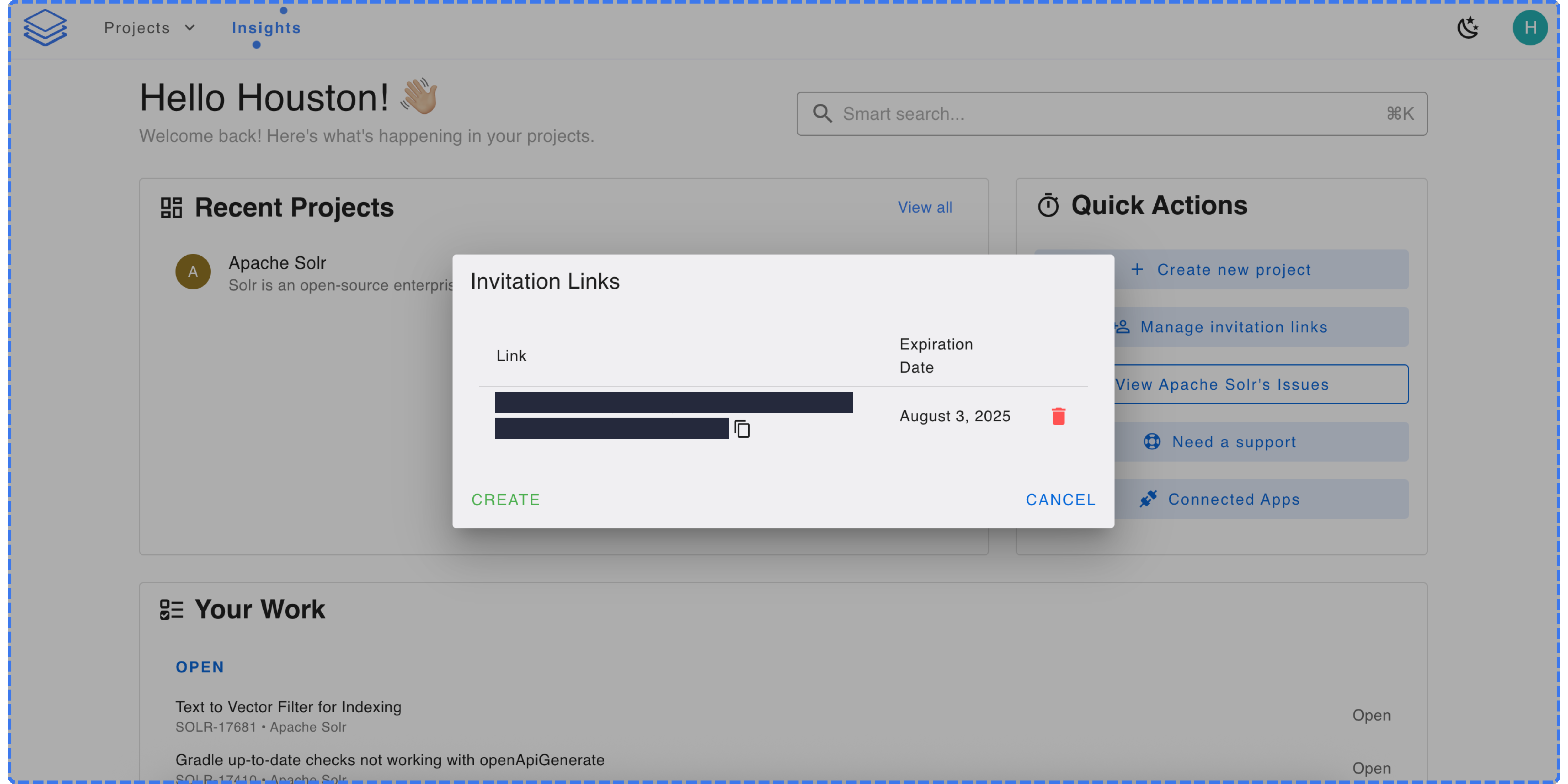
 A unique invitation link will be generated. You can copy this link and share it with the team member(s) you’d like to invite.
All team members must register with their **work email addresses** to join your company’s Stash workspace.
A unique invitation link will be generated. You can copy this link and share it with the team member(s) you’d like to invite.
All team members must register with their **work email addresses** to join your company’s Stash workspace.