> ## Documentation Index
> Fetch the complete documentation index at: https://docs.usestash.com/llms.txt
> Use this file to discover all available pages before exploring further.
# Smart Search
> Find exactly what you need across your codebase, issues and docs
Answers are often scattered across **millions of lines of code, thousands of issues, and hundreds of documents.** Whether you’re fixing a bug or implementing a new feature, having the right context matters.
That’s where **Smart Search** comes in. You can ask or search for anything you need, and Smart Search will bring together the most relevant context from across your entire development environment - cutting search time and letting you focus on building.
## **Where to access Smart Search**
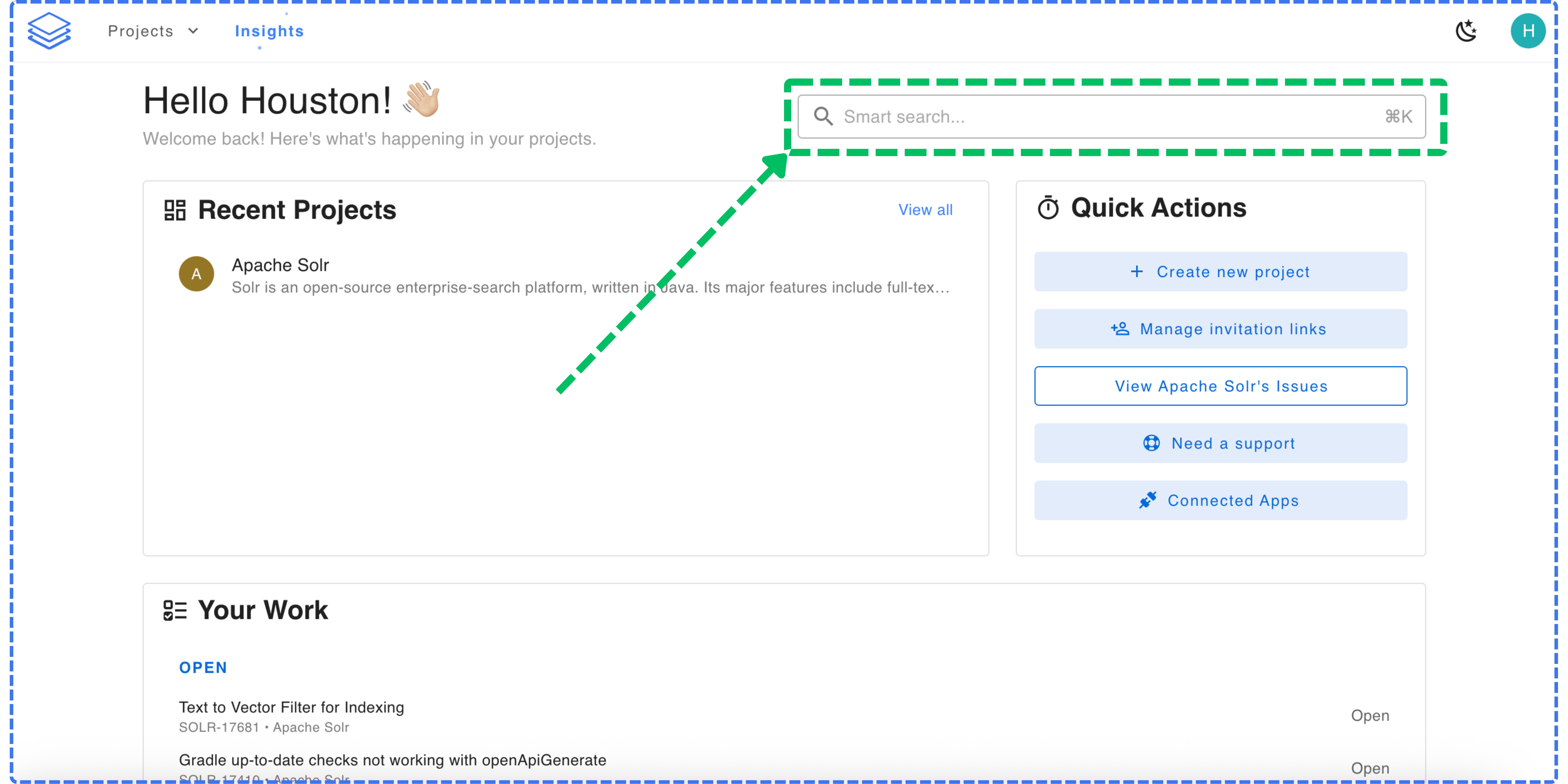
Smart Search is available in the Stash web app at the top of the dashboard: You can also access it quickly using the keyboard shortcut **⌘K (Mac)** or **Ctrl+K (Windows/Linux)**.
 ## **How Smart Search works**
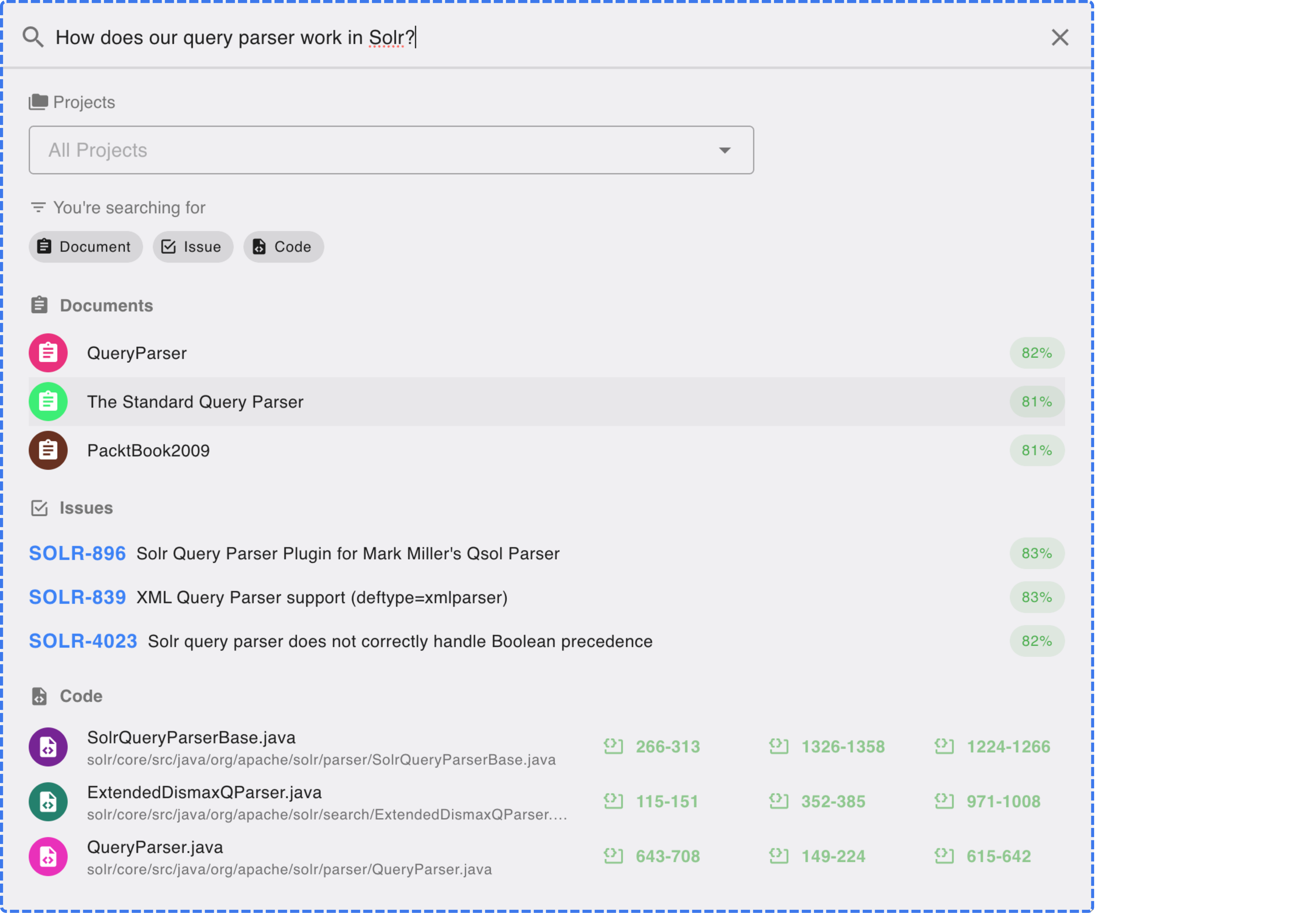
Type any question or keywords into Smart Search. Stash will analyze your connected data sources and return the most relevant results across.
## **How Smart Search works**
Type any question or keywords into Smart Search. Stash will analyze your connected data sources and return the most relevant results across.
 ## **Tips for best results**
Each result includes confidence scores and direct links, so you can jump straight to the relevant content. This saves developers from manually searching across multiple systems.
* Make sure your projects are fully analyzed before using Smart Search.
* Use natural language queries instead of single keywords.
* Narrow your results by selecting **Documents**, **Issues**, or **Code** filters if needed.
## **Tips for best results**
Each result includes confidence scores and direct links, so you can jump straight to the relevant content. This saves developers from manually searching across multiple systems.
* Make sure your projects are fully analyzed before using Smart Search.
* Use natural language queries instead of single keywords.
* Narrow your results by selecting **Documents**, **Issues**, or **Code** filters if needed.